Ferrum Financing
A Blockchain-Enabled Equipment Financing Marketplace
Digitalizing equipment financing for small businesses, transforming weeks of paperwork into a streamlined process within a single platform.
Scope
Fintech / B2B SaaS / Startup / Blockchain / UX/UI
Role
UX/UI Designer / Frontend Developer
Team
1 Designer, 3 Devs, 1 PM
Timeline
June 2022 - August 2024
Overview
This case study showcases the UX/UI design of Ferrum Financing - a B2B platform built to eliminate paperwork and bureaucracy from the equipment financing process for small businesses.
About Ferrum
Ferrum Financing is a B2B marketplace platform for equipment financing, built for small and medium-sized businesses. It leverages blockchain technology and AI-powered matching to bring borrowers, lenders, insurers, and equipment vendors onto a single digital platform.
Before Ferrum, this process required coordinating across 4–5 separate channels, weeks of waiting, and manual document entry. My role was to translate this complex ecosystem into an intuitive user experience.
Reduce transaction completion time and increase application conversion rates through full digitalization of the process with no paperwork and no fragmented communication.
Business Goal
Efficiency & conversion
Design an experience that makes a complex B2B financial workflow feel clear, predictable, and easy to navigate built for users who are not necessarily tech-savvy.
UX Goal
Clarity & usability
Problem
Paperwork as a barrier.
Equipment financing was fragmented and slow. Bank, insurer, and vendor worked in isolation — documents got lost, status stayed invisible, and decisions took weeks.
Fragmented ecosystem
Lender, vendor, insurer, and buyer coordinate over email and phone, with no shared status.
Manual document entry
Users transcribed registry extracts, statements, and IDs by hand. Slow and error-prone.
Zero transparency
No visibility into application status. Approvals arrived after weeks of silence.
Cognitive overload
One long, unstructured form. Users lost their place and dropped off before finishing.
Users
Who uses Ferrum?
The primary user is the owner or CFO of a small business in a sector that relies on specialized equipment: manufacturing, construction, IT. We called this persona Mark, 38 — not a technical expert, but pragmatic and outcome-focused.
He wants to secure financing quickly, understand terms without fine print, see application status in real time, and keep administrative work to a minimum. What slows him down is the opposite: not knowing who to contact, transcribing documents by hand, waiting weeks with no update, and starting from scratch with every new conversation.
Secondary users are lenders and equipment vendors who monitor and manage the same transactions from the other side of the platform.
My Role
Role & Responsibilities
My involvement spanned the full design process, from early stakeholder workshops and occasional sessions with premium users, through to high-fidelity interfaces and developer handoff. Design decisions were continuously shaped by feedback gathered directly from the business side and real users, allowing us to iterate and refine as the product evolved.
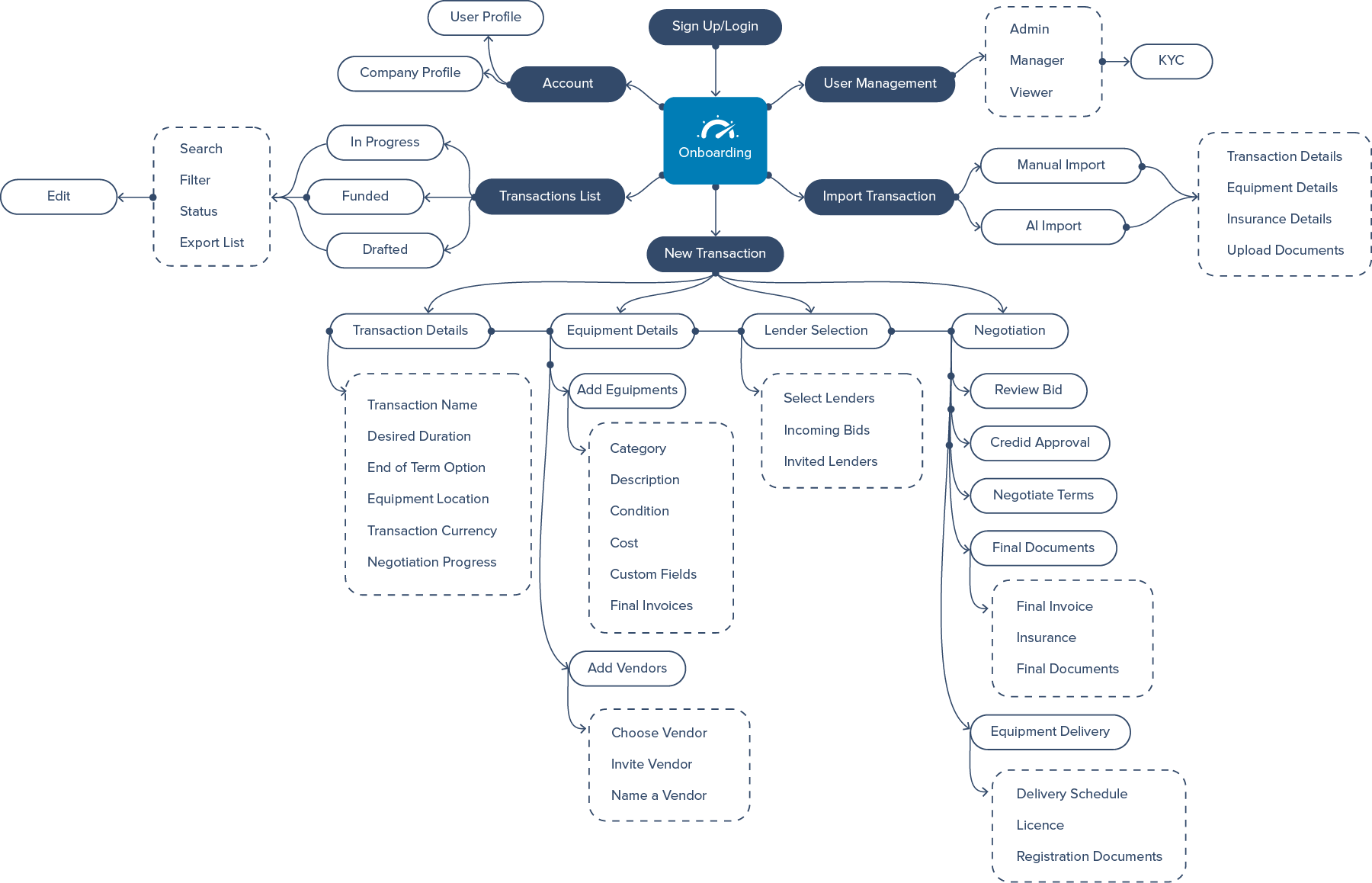
User Flow
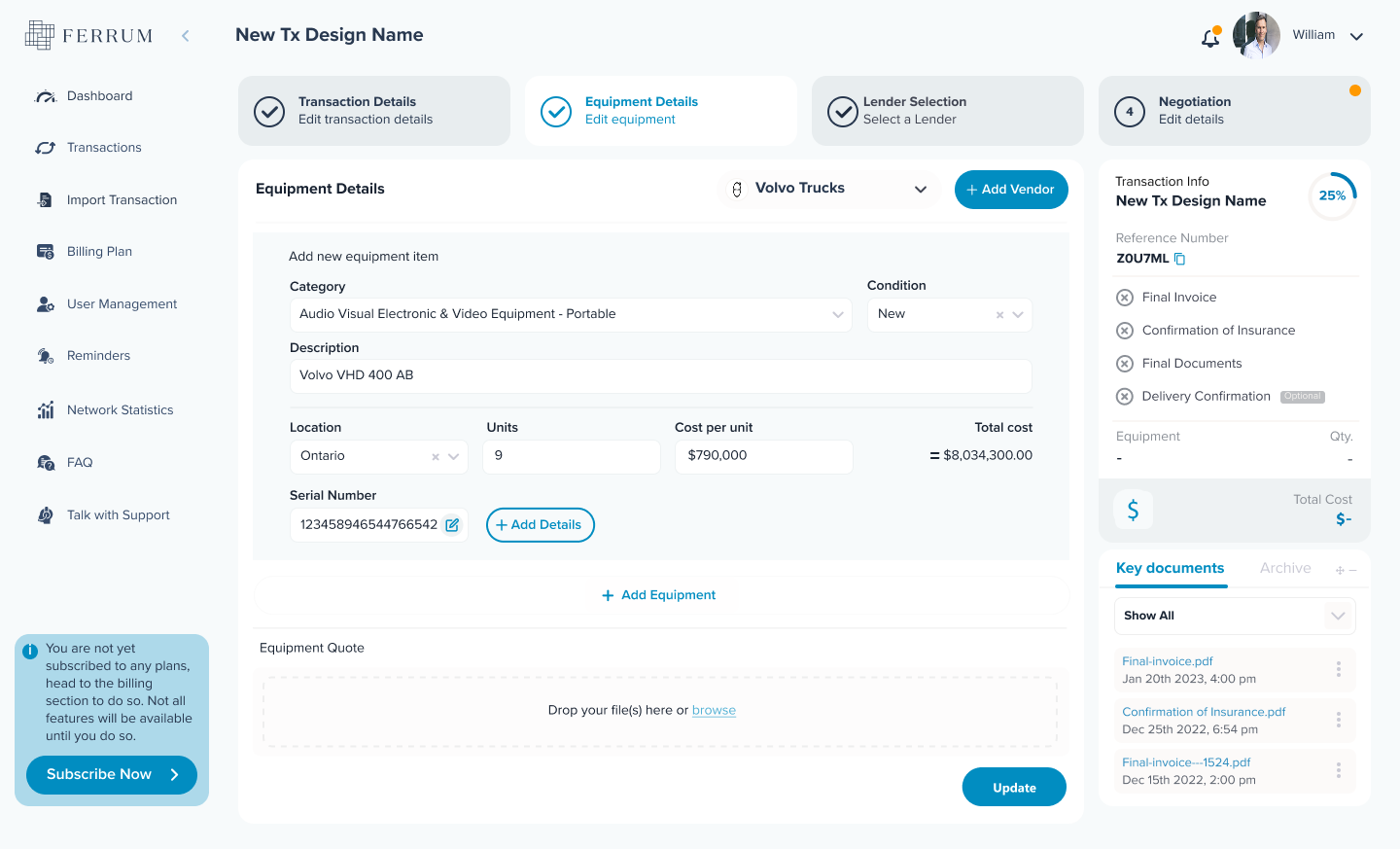
Tab navigation instead of endless scroll
Replacing an unstructured, modal-heavy flow with a tab-based wizard pattern — reducing cognitive load and giving users a clear sense of progress.
Users couldn't tell how many steps remained or where they were in the transaction.
Conversion speed significantly improved through modular focus.
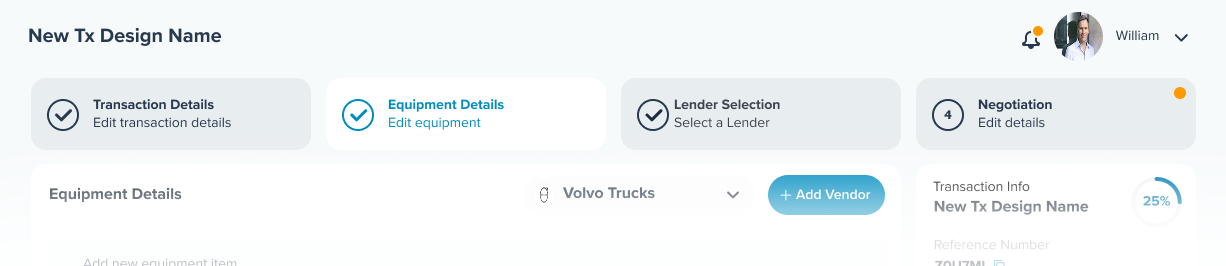
Always-visible progress
Four tabs at the top show the complete transaction flow at a glance. Completed steps are checkmarked, the active step is highlighted, and the step counter (2 of 4) reinforces location.
One context per step
Each tab contains only the fields relevant to that phase. Users focus on one task at a time, reducing errors and cognitive load without losing access to transaction info.
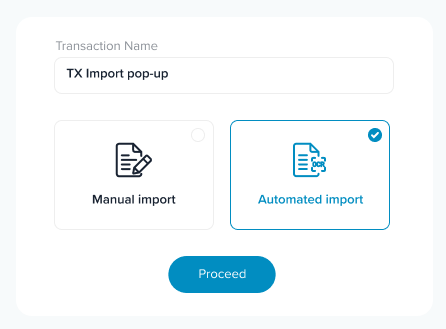
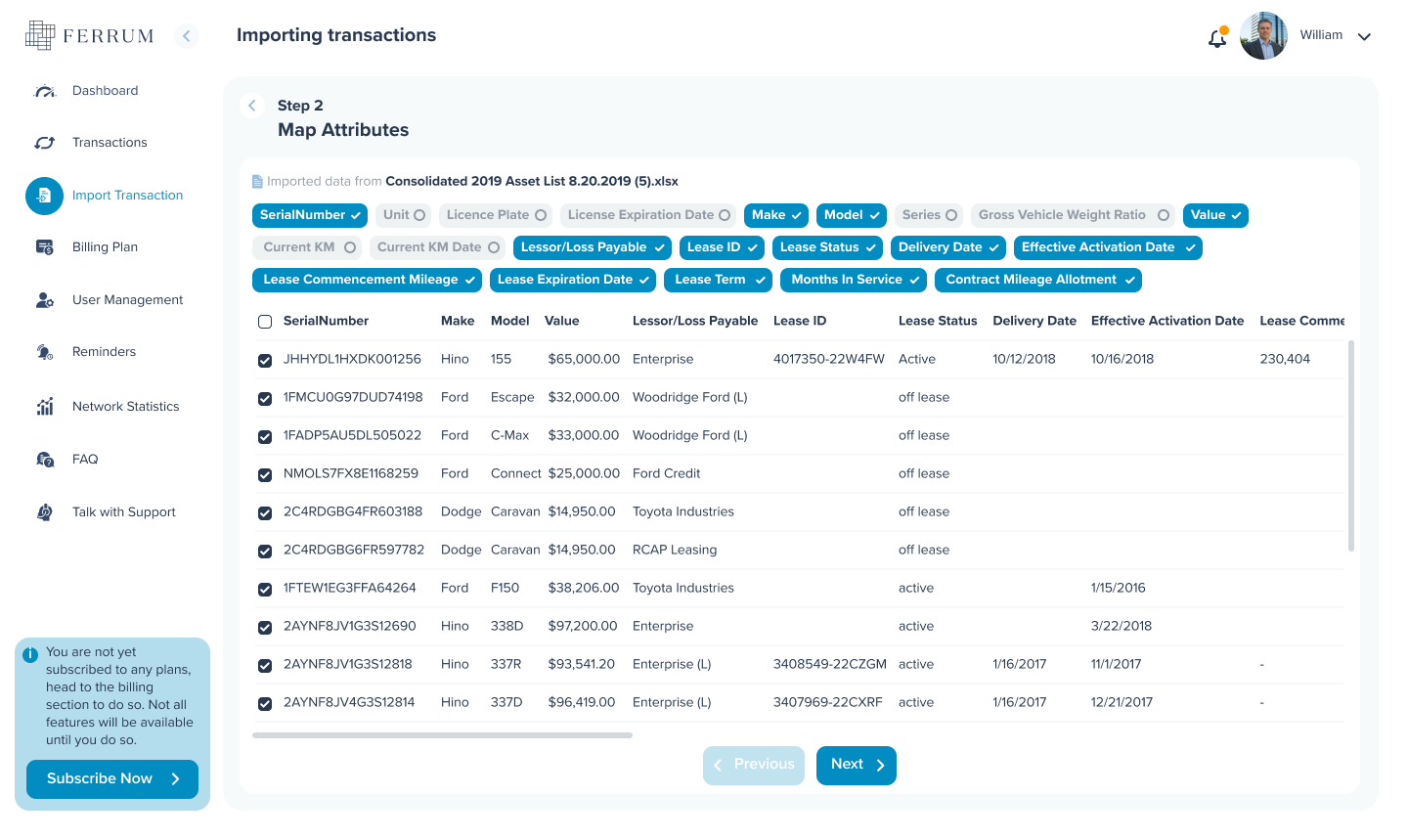
OCR Integration
Documents that read themselves
A clean, minimal UI mockup of an AI OCR scanning process for a business document. Data fields are filled in real-time.
Manual data entry was a primary reason for user drop-off.
Users verify data instead of entering it, removing the biggest friction point.
Key Decision
OCR was not a technical requirement, but a design decision grounded in research.
Dashboard
Transparency as a feature
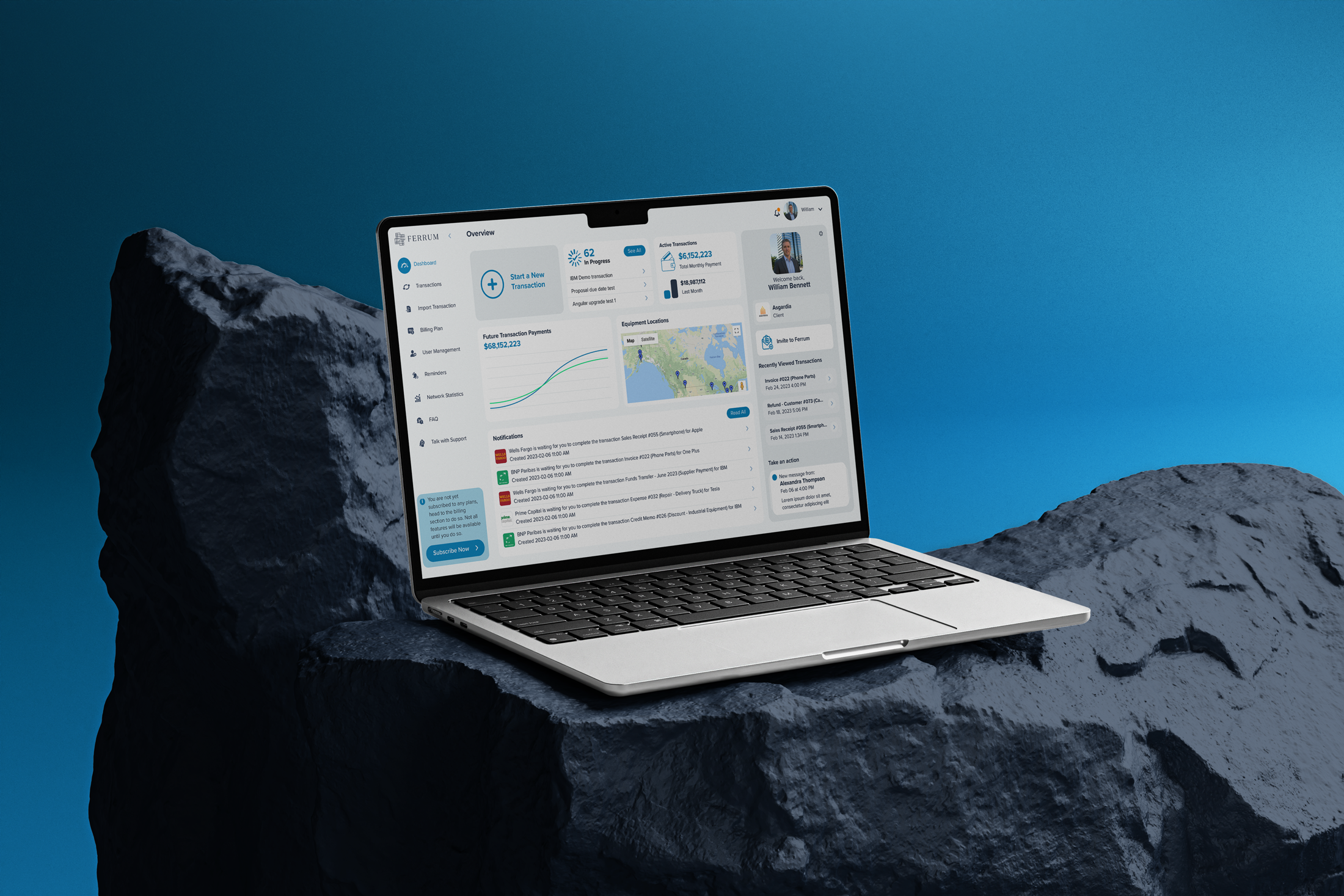
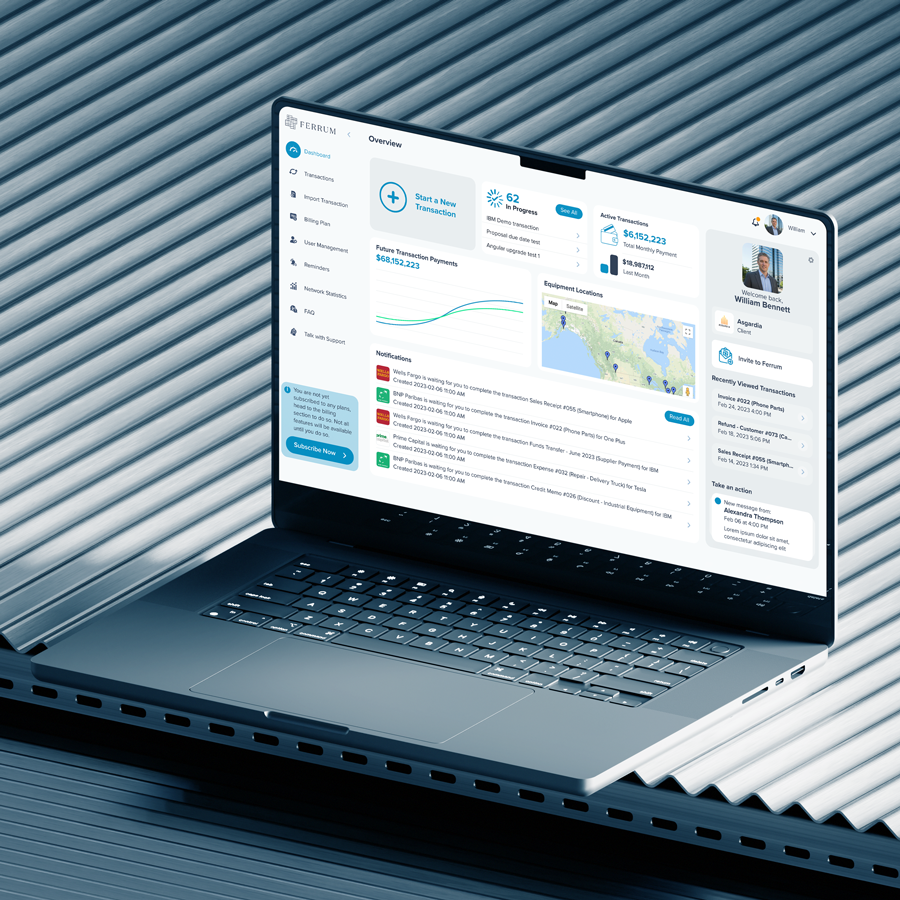
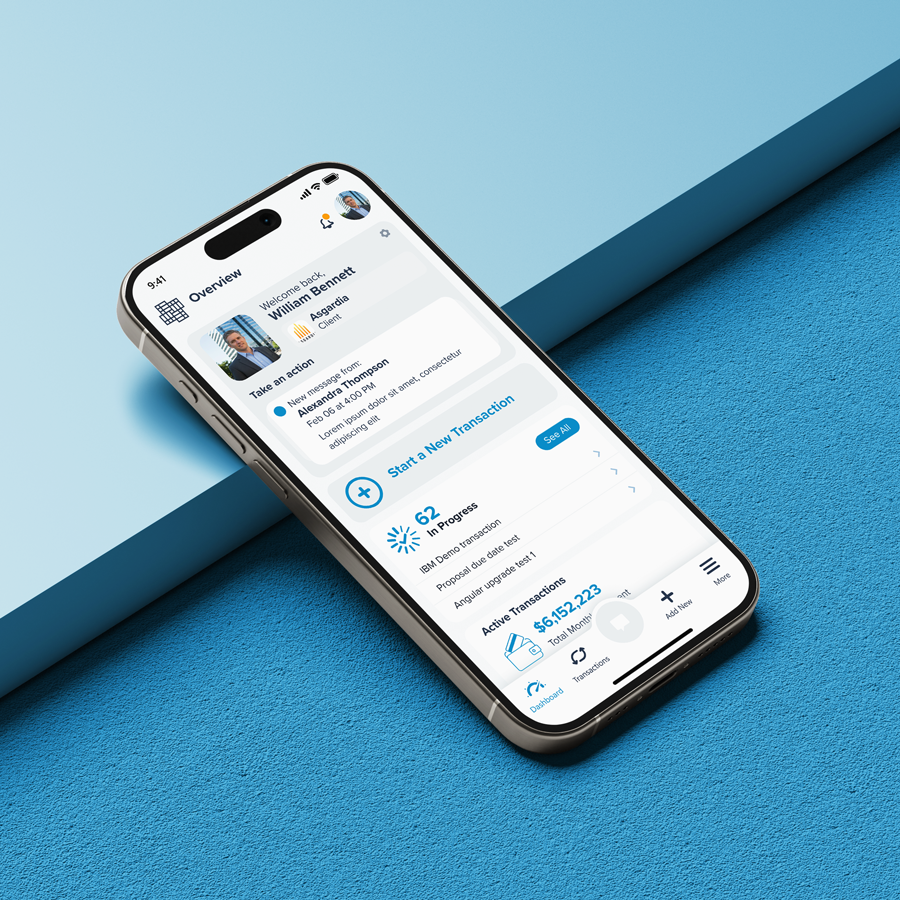
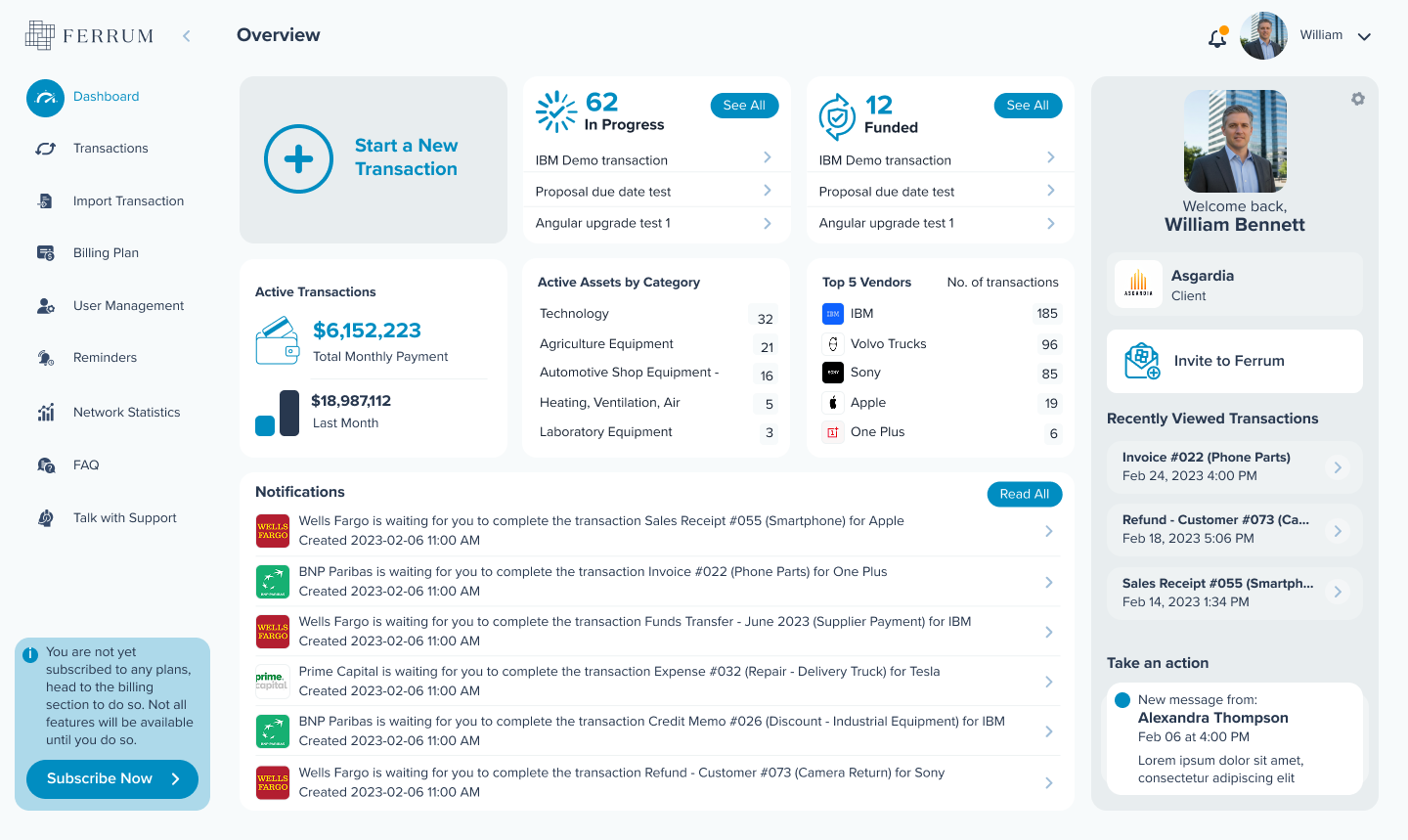
A central dashboard designed to display the status of every transaction phase in real time, for all parties involved.
Users felt "in the dark" during the application process. Transparency is validation.
Eliminated the need for status-check phone calls and emails entirely.
Outcome
Every party in the transaction sees only the information relevant to their role, in real time. The need for status-check phone calls and emails was eliminated entirely.
Outcome
What happened.
The platform was successfully launched and remained in production from 2022 to 2024. Client feedback confirmed that the key pain points had been effectively addressed. The digitalization of the process produced measurable results across every phase of the transaction.
80%
Time saved
Per transaction, according to clients
24h
Approval time
Down from several weeks
1
Platform
For all parties in the transaction
0
Paperwork
Fully digitalized flow